
11 Best Budgeting Apps for Single Moms in 2026 (Free & Paid)
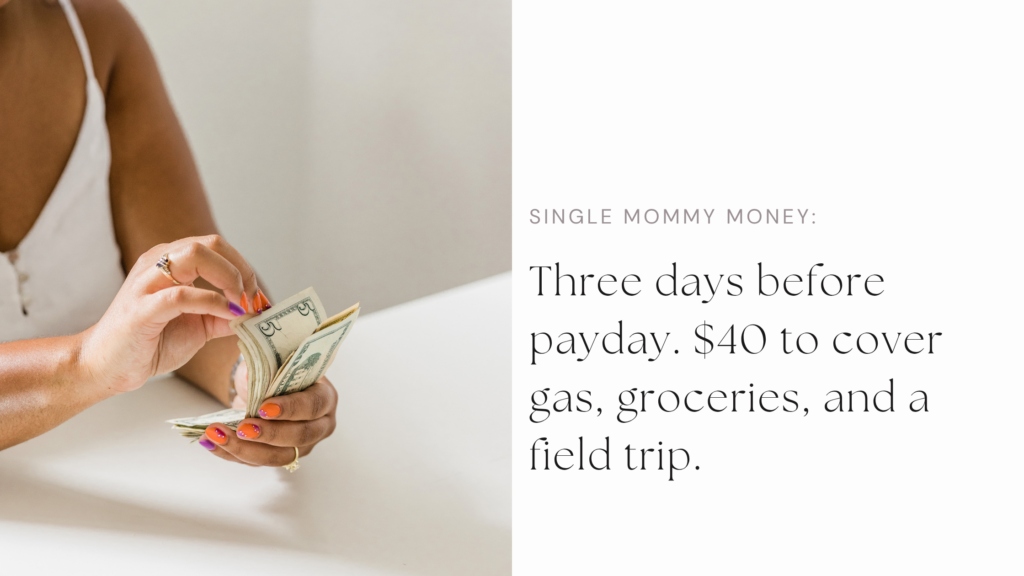
Ever stared at your bank account three days before payday, doing mental math on whether you can stretch $40 to cover gas, groceries, and your kid’s field trip fee? Yeah, me too.
When I became a single mom, budgeting stopped being a “nice to have” and became survival math. There was no second paycheck to fall back on if mine came up short and no room for guessing. I needed budgeting apps for single moms that could actually handle real life: unexpected expenses, changing priorities, school expenses, sudden doctor visits, the birthday party you forgot about, and months when everything seems to hit at once.
I tried some of the popular budgeting apps everyone recommends, but many felt built for neat, predictable finances. That wasn’t my life, and chances are it isn’t yours either.
So for this list, I compared budgeting apps available in 2026 based on what a single mom actually needs: ease of use, flexibility, useful budgeting features, cost, savings tools, debt features, and whether the app can realistically help you stay on top of your money without becoming another chore.
Some are completely free. Others are worth paying for if you need more automation or financial planning tools.
As a single mom managing a household on one primary income, I know firsthand that a budgeting app has to do more than track spending. It has to help you plan for real life.
Here are the 11 best budgeting apps for single moms in 2026, including free and paid options.
Pricing and features are current as of August 2026 and can change.
TL;DR: Best Budgeting Apps for Single Moms in 2026
If you don’t have time to read the full list, here are my quick picks:
- Best overall: YNAB
- Best free option: EveryDollar
- Best for subscription tracking: Rocket Money
- Best for building wealth: Monarch Money
- Best for monthly expense planning: Quicken Simplifi
- Best envelope budgeting app: Goodbudget
- Best for overspending and debt payoff: PocketGuard
- Best completely free financial tracker: Empower
- Best for beginners: Fudget
- Best for visual spending insights: Copilot Money
- Best AI budgeting app: Origin
My overall recommendation: Start with the app that solves your biggest money problem right now. If you need a structured budget, try YNAB or EveryDollar. If you want to cut unnecessary spending, Rocket Money is a better fit. If you’re already thinking about investments, net worth, and long-term wealth, Monarch or Empower may make more sense.
You do not need the most advanced budgeting app. You need one you will actually use consistently.
How I Chose the Best Budgeting Apps for Single Moms
There are plenty of lists ranking the “best budgeting apps.”
But being a single mom changes what I care about.
I’m less interested in whether an app has 100 features and more interested in whether those features solve real problems.
For this list, I looked at:
Ease of Use
Can you maintain the system while you’re also working, parenting, making dinner, remembering appointments, answering school emails, and doing everything else?
A powerful app you never open is useless.
Cost
A budgeting app shouldn’t become another subscription quietly draining your budget.
Paid apps can absolutely be worth it. But the features should justify the expense.
Flexibility
Real life changes.
Your grocery bill won’t be exactly the same every month. Your child may suddenly need shoes. You may work overtime one month and lose hours the next.
A useful budget needs room to adjust.
Sinking Funds and Savings Goals
I gave extra weight to apps that make it easier to plan for future expenses instead of treating every nonmonthly bill like an emergency.
Debt Tools
For moms paying off credit cards, student loans, car loans, or other debt, being able to see progress matters.
Automation
Bank syncing and automatic categorization can save time, but I don’t consider them mandatory. Some people do better when they manually enter expenses because it forces them to pay attention.
The Bigger Financial Picture
A budget is important.
But budgeting is the beginning, not the finish line.
I also looked for tools that can help you move from managing expenses to saving, investing, paying down debt, increasing your net worth, and creating more financial options.
What Is a Budgeting App?
A budgeting app is a digital tool that helps you plan, track, and manage your money.
Depending on the app, you may be able to:
- Connect your bank and credit-card accounts
- Categorize purchases
- Set monthly spending limits
- Plan bills
- Track subscriptions
- Create sinking funds
- Set savings goals
- Monitor debt
- Track your net worth
- See investments
- Forecast future cash flow
Some apps automate almost everything.
Others require you to enter transactions manually.
Neither method is automatically better.
The best one is the method you’ll consistently use.
What Are the Best Budgeting Apps for Single Moms in 2026?
There isn’t one budgeting app that will work for every single mom.
Maybe you’re trying to stop living paycheck to paycheck. Maybe you need to pay off credit card debt. Maybe you have the basics covered and want to start building an emergency fund, investing, or increasing your net worth.
Your biggest money problem should help determine which app you choose.
Best Free Budgeting Apps for Single Moms in 2026: Quick Picks
If you want the short answer, YNAB is my best overall pick because it helps you decide what your money needs to do before you spend it. But it is not the best choice for every mom.
If you want something free, EveryDollar, Empower, or Fudget may make more sense. If subscriptions and random charges are eating your budget alive, Rocket Money deserves a look. And if you’ve moved beyond simply surviving and want to track your net worth and long-term financial goals, Monarch Money is one of the strongest options on this list.
Here’s how they compare.
| Budgeting App | Best For | Free Option? | Price |
| YNAB | Best overall | Trial Free for one year if you’re in college! | $109/year or $14.99/month Free for one year if you’re in college! |
| EveryDollar | Zero-based budgeting | Yes | Free or $79.99/year |
| Rocket Money | Cutting bills and subscriptions | Yes | Free or Premium |
| Monarch Money | Building wealth and seeing the big picture | Free trial: 7 days | Price: $99.99/year or $14.99/month |
| Quicken Simplifi | Flexible monthly planning | No | From $3.99/month, billed annually Money-back guarantee: 30 days |
| Goodbudget | Envelope budgeting | Yes | Free or $80/year |
| PocketGuard | Overspending and debt payoff | Trial | $74.99/year or $12.99/month |
| Empower Personal Dashboard | Free net worth and financial tracking | Yes | Free |
| Fudget | Simple manual budgeting | Yes | Free or $19.99/year |
| Copilot Money | Visual spending insights | Trial | $95/year or $13/month |
| Origin | AI-powered money management | Promotion varies | $1 for one year (renews at $99/year) |
1. YNAB: Best Overall Budgeting App for Single Moms
Best for: Moms who want a hands-on plan for every dollar
Price: $109/year, $14.99/month, or a FREE 365-day trial for ALL college students.
Free trial: 34 days no credit card required!
YNAB (pronounced “why nab”) stands for You Need A Budget, and its approach is different from simply looking backward at what you already spent. You assign the money you currently have to specific priorities, whether that’s rent, groceries, daycare, your emergency fund, school clothes, or next month’s bills.
YNAB currently costs $109 per year or $14.99 per month and offers a 34-day free trial. If you are a college student, you can get YNAB for FREE for a year! It can connect to financial accounts, track spending, set savings targets, help manage debt, and sync across devices.
That forward-looking approach is why I love YNAB for single moms.
When you’re managing a household on one primary income, the question isn’t only, Where did my money go? You also need to know, What does the money sitting in my account need to cover before I get paid again?
That kind of category-based planning is backed by research. A 2022 study of 3,826 U.S. adults found that budgeting commonly involves separating spending into distinct categories and adjusting behavior when people go over or under budget.
You can create categories for expenses that don’t happen every month, such as:
- School supplies
- Kids’ birthdays
- Car repairs
- Medical copays
- Christmas
- Hair appointments
- Summer activities
- Uniforms or extracurricular activities
- Emergency savings
Instead of acting surprised every August when back-to-school shopping shows up, you can slowly fund that category throughout the year.
What I Like
- Makes you intentionally plan your available money
- Strong savings-goal features
- Useful for irregular and future expenses
- Includes debt-management tools
- Bank syncing is available
- Subscription can be shared with up to six people (including the FREE 365-day plan for college students).
What to Consider
YNAB has a learning curve. If you want to download an app and barely think about it, this probably isn’t your best choice.
It’s also one of the more expensive apps on this list.
There’s also research showing why active money management matters specifically for single moms. In a randomized controlled trial of 345 low-income single mothers, women who received financial education and coaching showed greater improvements in budgeting behaviors, monthly cash-flow management, savings, and paying bills on time compared with the control group.
YNAB isn’t the program studied here, but the findings support the broader idea behind tools like YNAB: having a written plan, reviewing spending, setting financial goals, and managing cash flow intentionally can make a real difference.
The Rich Mommie Take: YNAB is my overall pick if you’re serious about changing how you manage money, not just tracking where it went. If you are a college student, the FREE 365-day trial is especially hard to pass up. YNAB requires more participation, but that’s also the point. You want to be intentional with your money, and the more attention you give your finances, the easier it becomes to make decisions with confidence.
Check out their step-by-step instructions to set up YNAB and never worry about money again.
2. EveryDollar: Best for Zero-Based Budgeting
Best for: Single moms who want a clear monthly spending plan
Price: Free or $79.99/year for Premium
Free trial: 14 days for Premium
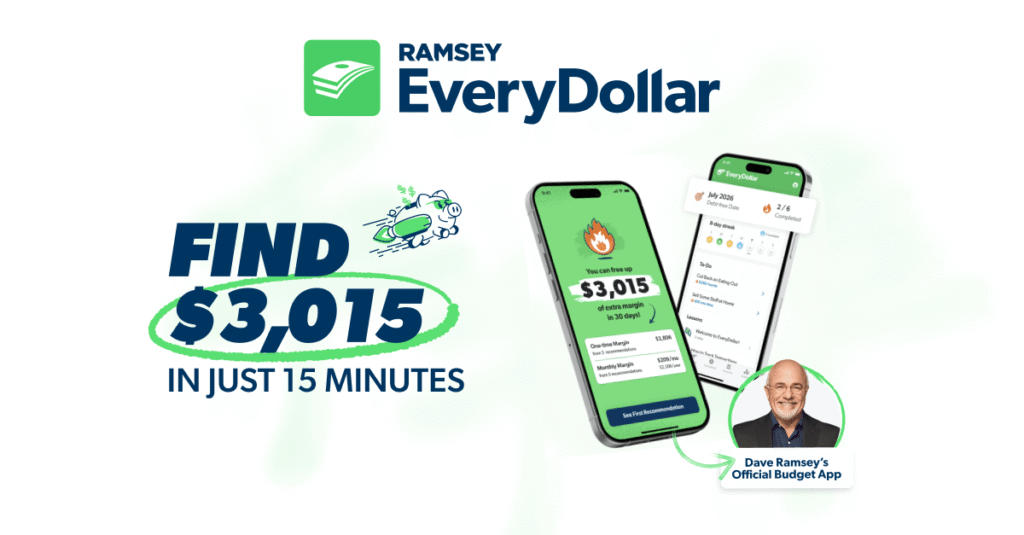
EveryDollar is Ramsey Solutions‘ zero-based budgeting app. If you’ve been searching for advice on how to manage your money, you’ve probably come across Dave Ramsey. As the founder and CEO of Ramsey Solutions, Dave has been dishing out tips on how to deal with debt, save money and spend wiser for decades, making him one of the big names in the personal finance sphere.
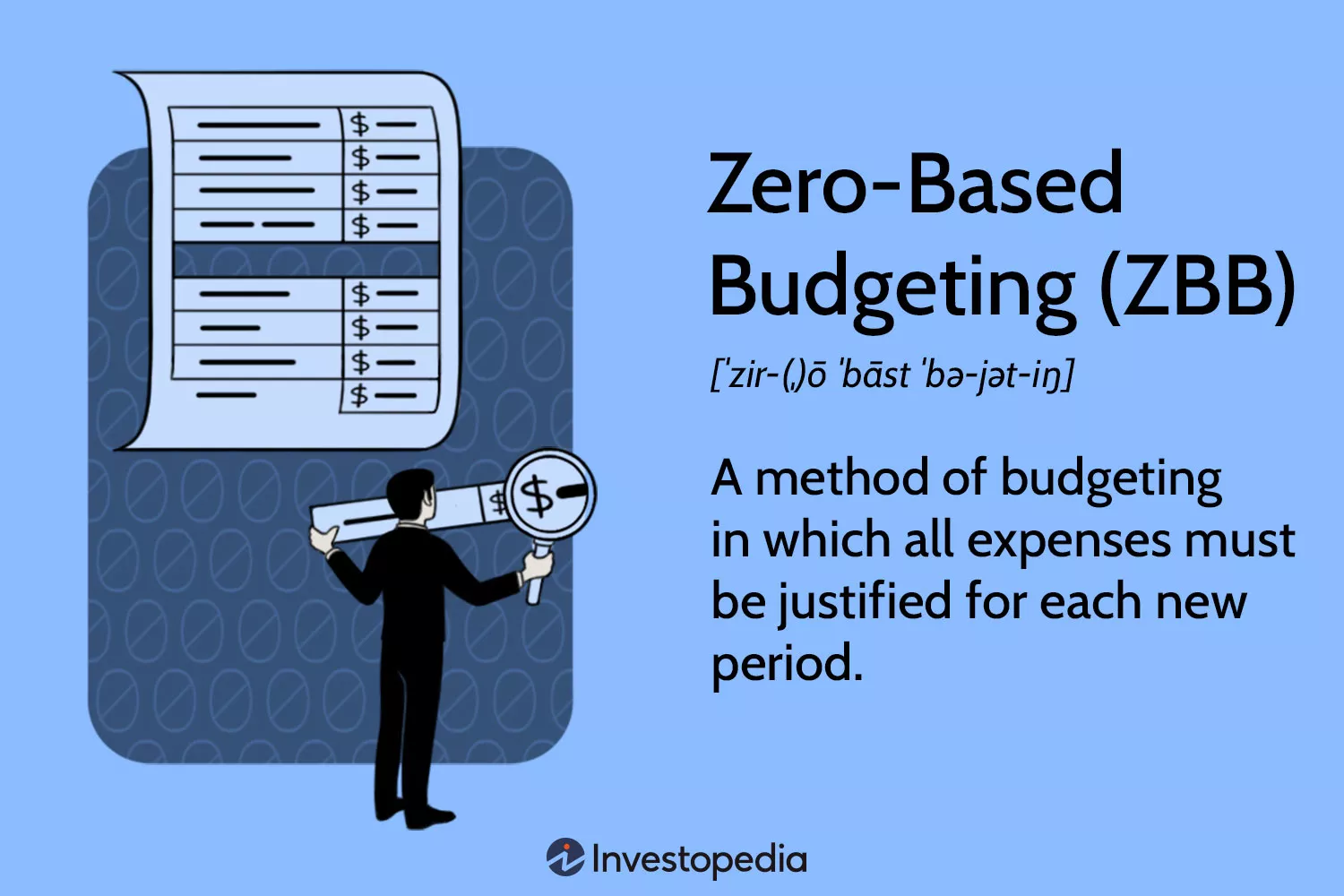
What is zero-based budgeting?
Do you know exactly where every dollar you earn goes each month? If you don’t, zero-based budgeting might be worth a try. Zero-based budgeting means giving your income a job until income minus planned expenses equals zero. That doesn’t mean you spend every dollar. Saving, investing, and paying extra toward debt can all be jobs in your budget. The goal is to give every dollar a purpose, leaving zero income unassigned at the end of each month.
Research supports the broader idea of separating money into specific spending categories. A peer-reviewed study on mental budgeting found that people who mentally divided money into different expense categories were more likely to have a clear overview of their expenses and showed stronger household financial management.
EveryDollar’s free version lets you create monthly budgets, make unlimited categories, manually enter transactions, create sinking funds, split transactions, and set bill due dates. Premium adds bank syncing, paycheck planning, live Q&A sessions with professional financial coaches, reports, debt tracking, financial goals, and other tools. Premium currently costs $79.99 per year or $17.99 month-to-month.
I especially like the sinking-fund feature for moms because so many “unexpected” expenses aren’t truly unexpected.
You know Christmas is coming.
You know your kids will need new clothes.
You know your car will eventually need maintenance.
A sinking fund lets you turn a future $600 problem into a much smaller monthly expense.
What I Like
- A genuinely usable free version
- Unlimited budget categories
- Sinking funds
- Bill due dates
- Easy zero-based budgeting system
- Premium includes automatic bank transactions
What to Consider
Automatic transaction importing requires Premium, so the free version requires more manual work. If you’re needing extra help on navigating the app, here is a step-by-step guide on how to use EveryDollar.
Can’t decide if you want the free version or the premium? Here’s a video to help you decide:
The Ramsey system (aka Baby Steps) also has a specific philosophy about debt and money management. You don’t have to follow every part of that philosophy to use the app, but it’s worth knowing.
The Rich Mommie Take: If you want to start budgeting without paying for another subscription, EveryDollar is one of the first apps I’d try.
3. Rocket Money: Best for Cutting Bills and Subscription Creep
Best for: Finding money that’s quietly disappearing from your account
Price: Free with optional Premium
Free trial: Seven days for Premium
Sometimes your biggest budgeting problem isn’t your budget.
It’s the $8.99 here, $14.99 there, an old free trial that became a paid subscription, and three services you forgot you were still paying for.
And there’s research behind that problem. A 2025 study published in the American Economic Review found that consumers can continue paying for subscriptions they no longer value because of inattention or inertia. When researchers looked at what happened after payment cards were replaced and subscribers had to actively renew, cancellation rates increased significantly.
Rocket Money wasn’t tested in the study, but this is exactly the type of financial leak its subscription-tracking tools are designed to make easier to spot.
That’s where Rocket Money stands out.
Its free plan includes account linking, spending tracking, subscription management, balance alerts, and basic budgeting. Premium adds features such as unlimited custom budget categories, subscription cancellation assistance, financial goals, net worth tracking, and real-time syncing. Premium uses a choose-your-own-price model that typically ranges from about $7 to $14 per month, although pricing can vary by platform.
Rocket Money also offers bill negotiation for eligible expenses such as internet, phone, cable, and security services. If Rocket Money successfully lowers your bill, you choose a success fee between 35% and 60% of your first year’s savings. If they don’t save you money, you aren’t charged for the negotiation service.
For a single mom trying to create breathing room, finding even $50 or $100 in recurring expenses that can be eliminated matters.
That’s money that could become groceries, gas, your emergency fund, or a payment toward debt.
What I Like
- Finds recurring subscriptions
- Free version includes useful spending tools
- Can help identify expenses to cut
- Premium includes custom budgets and savings goals
- Optional bill-negotiation service
What to Consider
Some of Rocket Money’s most convenient features require Premium.
And pay attention to the bill-negotiation fee. Saving money is great, but you should understand how much of that savings you’ll pay Rocket Money for negotiating on your behalf.
The Rich Mommie Take: Before telling yourself you need to earn more money, make sure you’re not leaking money through things you no longer use. Rocket Money is one of my favorite tools for finding those quiet expenses and deciding whether they’re still worth a place in your budget.
4. Monarch Money: Best for Single Moms Building Wealth
Best for: Moms who want budgeting, investments, goals, and net worth in one place
Price: Paid subscription
Free trial: One week
There comes a point when budgeting stops being only about getting through the month.
You start asking bigger questions.
What is my net worth?
Are my investments growing?
How close am I to my emergency-fund goal?
Can I afford the house project I want?
Am I building something for myself and my kids?
That’s where Monarch Money becomes interesting.
Monarch brings budgeting, connected accounts, savings goals, investments, cash flow, and net-worth tracking into one dashboard. You can use traditional category budgeting or a more flexible approach when your spending changes from month to month.
That flexibility is useful because real life isn’t always a perfectly fixed spreadsheet.
One month you spend more on groceries. Another month it’s school clothes. Then the car needs something. A rigid budget can make you feel like you failed when really your priorities simply changed.
Monarch lets you zoom out and see the larger financial picture. When you connect your accounts, Monarch will categorize your finances, allowing you to track, budget, collaborate, and set goals specific to you.
There’s research behind the value of setting specific financial goals, too. A study published in the Journal of Banking & Finance found that households with savings goals were more likely to engage in long-term saving and that those goals were linked to how families allocated their wealth across different types of assets.
Monarch wasn’t tested in the study, but its goal-tracking, investment, and net-worth tools are built around that same idea: knowing what you’re working toward makes it easier to see whether your financial decisions are actually moving you closer to it.
Here’s a video showing you how to get started with Monarch, including how to connect your accounts and a quick walkthrough of the product experience.
What I Like
- Tracks spending and net worth
- Includes investment tracking
- Savings and financial goals
- Flexible and category budgeting options
- Useful once you’re focused on wealth building, not only expense tracking
- Ad-free, according to Monarch
What to Consider
There isn’t a permanent free plan.
It may also be more app than you need if your only goal is making a basic monthly budget.
The Rich Mommie Take: I wouldn’t start here if you’re overwhelmed and simply trying to make it to payday. But once you’re ready to move beyond budgeting and start paying attention to your savings, investments, goals, and net worth, Monarch deserves serious consideration. At some point, managing money should stop being only about what you can afford this month and start being about what you’re building for the future.
5. Quicken Simplifi: Best for Flexible Monthly Planning
Best for: Moms who want to know what is actually left after bills
Price: Currently from $3.99/month, billed annually for new memberships
Platforms: Web and mobile
Quicken Simplifi takes a practical approach to budgeting.
Instead of making you follow one strict budgeting method, its Spending Plan starts with monthly income, subtracts bills and subscriptions, factors in planned spending and savings, and shows what remains available. Simplifi can also project future account balances based on recurring income, bills, subscriptions, and other scheduled transactions, helping you spot potential low-balance periods before they happen.
That “what’s actually left?” question matters.
Seeing $1,200 in checking doesn’t mean you have $1,200 available if $900 of it already belongs to rent, daycare, utilities, and an upcoming insurance payment.
Check out this Quicken Simplifi Review, which talks about the features, pricing, pros & cons:
Research shows why that distinction matters. A 2026 study published in the Journal of Economic Behavior & Organization found that consumers often adjusted their everyday spending around major bill payments, delaying non-bill purchases until those obligations were covered. The effect was even stronger for people with lower available balances and longer stretches between paychecks.
Simplifi wasn’t tested in the study, but its Spending Plan addresses a similar problem by separating the money already committed to bills, savings, and planned expenses from what you actually have left to spend.
Simplifi currently advertises a discounted new-member price of $3.99 per month when billed annually, with the offer scheduled through September 9, 2026. Quicken notes that subscriptions later renew at the then-current rate.
What I Like
- Shows income, bills, subscriptions, savings, and spending together
- Forecasts future cash flow
- Tracks savings goals
- Automatically categorizes transactions
- Useful for planning around upcoming bills
What to Consider
There isn’t a permanent free version.
Also, promotional prices change, so check the renewal cost before subscribing.
The Rich Mommie Take: Simplifi is a strong choice if you don’t want budgeting to feel like a second job. I especially like that it helps separate the money sitting in your account from the money that’s actually available to spend. A healthy checking balance can be misleading when half of it already belongs to bills coming later in the month. Simplifi helps you see that difference before you overspend.
6. Goodbudget: Best for Envelope Budgeting
Best for: Moms who want clear spending limits for each budget category
Price: Free or $10/month, $80/year
Available on: Web, Android, and iPhone
If you’ve ever used physical envelopes for groceries, gas, entertainment, and bills, Goodbudget turns that idea into an app. Goodbudget lets you decide how much of your money should go toward spending, saving, and other financial priorities before you spend it.
You create digital envelopes for categories like groceries, gas, childcare, fun money, and savings, then decide how much money belongs in each envelope.
This provides you with a way to plan your spending instead of just tracking your spending.
Want to know if Goodbudget is best for you? Check out this video on The best Money App for Beginners.
The free plan currently includes 10 regular envelopes, 10 additional envelopes, one account, two devices, one year of history, and debt tracking. Premium costs $10 per month or $80 annually and adds automatic U.S. bank syncing, unlimited envelopes and accounts, additional devices, and longer transaction history.
This approach works well if overspending usually happens because all your money looks available when you see it sitting together in one checking account.
Your checking account may have $800.
But your grocery envelope might say you only have $120 available for groceries.
That’s a much more useful number.
There’s research behind the idea of separating your spending into categories. A study published in the Journal of Consumer Research found consumers commonly create budgets for specific types of expenses and track their purchases against those limits. The researchers also found spending within one category can influence whether people make additional purchases from that same category.
Goodbudget wasn’t tested in the study, but its envelope system applies a similar concept by giving you a visible spending limit for each category instead of treating your entire checking-account balance as available money.
What I Like
- Free version available
- Easy envelope-budgeting concept
- Debt tracking
- Manual system can make you more aware of spending
- Premium includes bank syncing
What to Consider
The free plan limits the number of envelopes and accounts.
If you want automatic bank syncing, you’ll need Premium.
The Rich Mommie Take: Goodbudget makes sense if seeing one big bank balance makes it too easy to overspend. I like that the envelope method gives every spending category its own boundary, so $800 in checking doesn’t automatically feel like $800 available to spend. If you like clear limits and want a digital version of cash envelopes without carrying actual envelopes around, this is one I’d consider.
7. PocketGuard: Best for Overspending and Debt Payoff
Best for: Moms who need help figuring out how much they can safely spend
Price: $74.99/year or $12.99/month
Free trial: Seven days
PocketGuard is built around a question many of us ask constantly:
How much can I actually spend without messing up everything else?
The app includes flexible budgeting options, category budgets, rollover budgeting, subscription tracking, financial goals, upcoming bills, and a debt-payoff plan. PocketGuard Premium currently costs $12.99 per month or $74.99 per year after a seven-day trial.
Here is a step-by-step guide to Pocketguard to help you master your finances:
PocketGuard’s Pace feature goes a step further than basic expense tracking. It compares your current spending with your budgets, bills, savings goals, debt-payoff plan, and recent spending patterns to show whether you’re spending too quickly for where you are in the month.
That can be useful during those months when spending starts getting away from you halfway through the month.
Research suggests that simply having and monitoring a budget can influence how much people actually spend. A study published in the Journal of Consumer Research used real-world budgeting-app data, a field experiment, and a financial diary study and found that although consumers often set overly optimistic budgets, those budgets still helped reduce spending. The effect even continued for months after the budget was created.
PocketGuard wasn’t tested in the study, but tools like its category budgets and spending forecasts can make the gap between what you planned to spend and what you’re actually spending much easier to see before the month is over.
PocketGuard also goes beyond simply showing you how much debt you owe. Its Debt Payoff Plan lets you enter your balances, interest rates, and minimum payments, decide how much you can put toward debt each month, and choose between the debt snowball and debt avalanche methods. The app then creates a payoff schedule and shows you an estimated debt-free date.
I especially like that you can adjust the amount you’re putting toward debt and see how that changes your payoff timeline. Sometimes seeing that an extra $50 or $100 could move your debt-free date forward makes the sacrifice feel a little more tangible.
What I Like
- Spending limits and budgeting tools
- Personalized debt-payoff plan with snowball and avalanche options
- Tracks recurring bills and subscriptions
- Financial goals
- Rollover budgets
- Spending forecasts can flag when you’re spending too quickly for the month
What to Consider
The current version is primarily a paid product after the free trial.
At $74.99 per year, I’d compare it with EveryDollar, YNAB, and Simplifi before committing.
The Rich Mommie Take: PocketGuard is worth considering if your biggest struggle isn’t creating a budget. It’s staying within it. I like that it helps you see whether you’re spending too quickly before you get to the end of the month and wonder where everything went. And if debt is one of your biggest financial priorities, having your payoff strategy built directly into the same budget can make it easier to see how today’s spending decisions affect your bigger goal.
8. Empower Personal Dashboard: Best Free App for Tracking Net Worth
Best for: Tracking net worth, investments, cash, debt, and retirement
Price: Free
Empower is different from the traditional budgeting apps on this list.
Its Personal Dashboard is completely free and allows you to connect checking, savings, credit cards, loans, mortgages, investments, retirement accounts, and other financial accounts in one place. Empower also includes financial tools for budgeting, planning, and retirement.
The free Dashboard also includes tools such as a Retirement Planner and Investment Checkup. You can see your net worth in one place, compare your investment allocation, set a monthly spending target, and model how major life events such as buying a home, having children, or saving for college could affect your retirement plan.
I wouldn’t choose Empower as my first recommendation if you need an intense day-to-day budgeting system.
But once you start thinking beyond next month’s bills, it becomes much more useful.
Your financial life isn’t only what’s sitting in checking.
It’s also:
Assets minus liabilities = net worth.
Your net worth isn’t a measure of your worth as a person. It’s simply a snapshot of what you own minus what you owe, and watching it over time can tell you much more about your financial progress than your checking-account balance alone.
Watching that number improve can change the way you think about money.
Check out this video to better understand how Empower can help you track your net worth:
Research supports the value of paying attention to your financial picture. A study published in The Quarterly Journal of Economics found households with a stronger tendency to plan their finances spent more time developing financial plans, monitored their spending more carefully, and tended to accumulate more wealth.
Empower wasn’t tested in the study, but having your spending, debt, savings, investments, and retirement accounts visible in one place can make it much easier to see whether your financial decisions are actually moving you forward.
Paying off a loan matters.
Increasing your retirement balance matters.
Building savings matters.
Increasing the value of what you own while decreasing what you owe matters.
What I Like
- Completely free Personal Dashboard
- Tracks net worth automatically as connected balances change
- Tracks investments and retirement accounts
- Includes a Retirement Planner and Investment Checkup
- Brings cash, debt, investments, and other accounts into one view
- Useful for monitoring long-term financial progress
- No subscription required for the Dashboard
What to Consider
It’s more of a financial dashboard than a strict envelope or zero-based budgeting system.
The Personal Dashboard is free, but Empower also offers separate paid wealth-management services. You do not have to enroll in those services to use the free Dashboard.
The Rich Mommie Take: Use something like YNAB or EveryDollar when you need help controlling the month. Use Empower when you’re ready to start watching the bigger wealth-building picture. I like that you can see your cash, debt, retirement accounts, investments, and net worth in one place without paying for another subscription. At some point, the question has to shift from “Did I stay within my budget this month?” to “Is my overall financial position getting stronger?” Empower helps you start answering that question.
9. Fudget: Best Simple Budgeting App Without Bank Linking
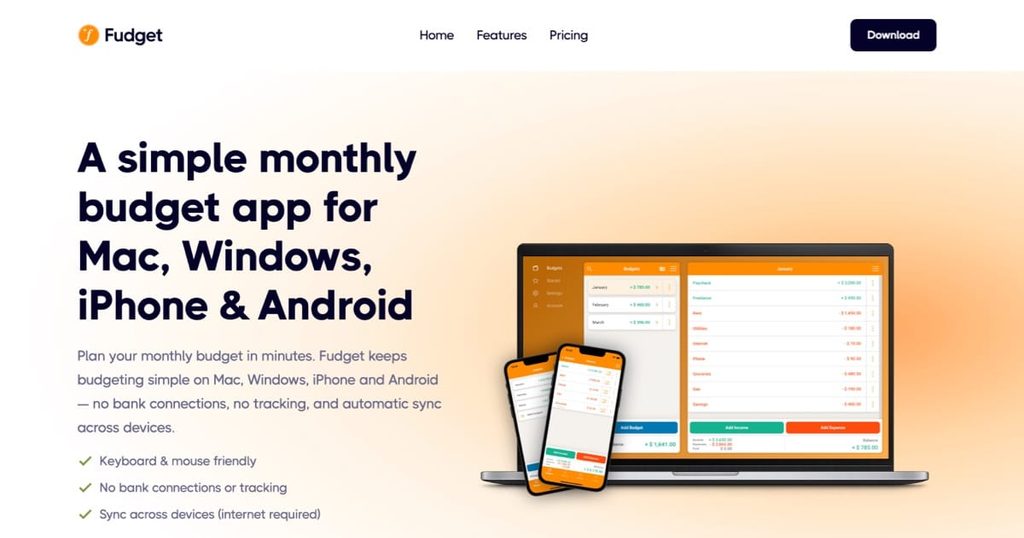
Best for: Moms who want a simple digital budget without connecting bank accounts
Price: Free or $19.99/year
Free trial: Seven days for Plus
Not everyone wants a budgeting app connected to every bank and credit card they own.
And not everyone needs 47 graphs.
Fudget keeps things simple.
You manually enter your income and expenses instead of linking your bank.
That extra effort may actually have an upside. A 2020 study published in Computers in Human Behavior found that making individual transactions more noticeable and requiring consumers to actively engage with their purchases helped reduce spending compared with a control group.
Fudget wasn’t tested in the study, but its manual-entry approach works on a similar principle: instead of transactions disappearing into an automatically synced feed, you have to actively record what you’re spending. That extra moment of attention may make it harder to ignore where your money is going.
Fudget Basic is free and currently allows up to five budgets, 250 entries, and use on one device. Fudget Plus costs $19.99 per year and adds unlimited budgets and entries, multi-device syncing, sharing, exports, reminders, and other tools.
This is one of the least complicated options on the list.
For some people, that’s a weakness.
For others, that’s exactly why they’ll keep using it.
And when you’re already juggling work, kids, bills, appointments, and everything else that comes with running a household, simple isn’t necessarily a bad thing. A budgeting system only works if you can realistically keep up with it.
Watch this video on how to stay on budget with Fudget and never overspend again:
What I Like
- Free version
- No bank linking required
- Very simple
- Manual entry encourages awareness
- One of the cheapest paid upgrades on this list
What to Consider
If you hate manually entering expenses, skip it.
That simplicity also comes at the cost of automation. Fudget doesn’t connect directly to your bank, so it won’t automatically pull in transactions, identify subscriptions, or give you the same level of financial analysis you’ll find in apps like Monarch, Simplifi, or Rocket Money.
Fudget also lacks many of the automated financial tools you’ll find in more expensive apps. That isn’t necessarily a dealbreaker. For some people, avoiding bank connections is the reason to choose it in the first place.
The Rich Mommie Take: Sometimes the best budgeting system is the one you won’t abandon after three days. If complicated apps overwhelm you or you simply don’t want another company connected to your bank accounts, Fudget is worth a look. I also think there’s something valuable about manually entering what you spend. It forces you to see the numbers instead of letting your transactions quietly disappear into an automated feed. Simple doesn’t mean ineffective. It means you have fewer excuses not to use it.
10. Copilot Money: Best for Visual Spending Insights
Best for: People who want an attractive, automated view of spending and net worth
Price: $95/year ($7.92/month when billed annually) or $13/month
Free trial: One month
Platforms: iPhone, iPad, Mac, and web
If visual design matters to you, Copilot Money has one of the more polished approaches to personal finance.
It brings spending, budgets, financial accounts, investments, and net worth together. Its dashboards let you see spending by category, compare income and spending over time, and follow changes in your net worth instead of trying to piece everything together from separate accounts.
Copilot currently costs $13 per month or $95 annually and includes a one-month free trial for new users. Its listed platforms include iPhone, iPad, Mac, and web.
Copilot also uses AI to help organize your finances. Its Money Assistant, currently in beta, can help manage categories, budgets, transactions, and recurring expenses while also suggesting things like category changes and budget adjustments.
This is useful if raw numbers make your eyes glaze over but charts, categories, and visual patterns help you understand what’s happening.
Maybe you don’t realize how much delivery is costing until you see the category total.
Or you think your spending problem is Amazon when dining out is actually doing more damage.
Good data can challenge the story we tell ourselves about our money.
Here is a video explaining how Copilot works, including the dashboard, transactions, categories, recurring expenses, and more – so you can decide if it’s the right budgeting app for YOU.
Being able to actually understand that data matters, too. A 2026 study of 1,002 U.S. adults found people with stronger financial graph literacy were more likely to engage in proactive financial behaviors such as budgeting, saving, investing, and using digital financial tools.
Copilot wasn’t tested in the study, but its visual approach can make financial information easier to explore by turning spending, cash flow, investments, and net worth into charts and trends instead of leaving you with a long list of transactions.
What I Like
- Strong visual presentation
- Spending and budget tracking
- Net-worth and investment views
- Automated organization
- One-month trial
What to Consider
It’s not cheap.
And if you only need a basic monthly budget, there are much cheaper options.
Also, feature availability varies by platform. Copilot is available on iPhone, iPad, Mac, and web, but some tools available in the native apps are still missing from the web version.
The Rich Mommie Take: Copilot makes the most sense if you need to see your financial patterns, not just stare at a list of transactions. I like that it can turn months of spending into something you can understand at a glance. You may think one category is hurting your budget, only to discover the numbers tell a completely different story. If charts and visuals help things click for you, Copilot may be worth the higher price.
11. Origin: Best AI-Powered Budgeting App
Best for: Moms who want AI-assisted budgeting and financial insights
Standard price: $99/year or $12.99/month
Current promotion: $1 for the first year for qualifying new users
Origin takes a newer approach to money management by using AI to analyze income and spending and help build a personalized budget.
Origin’s AI Budget Builder reviews roughly six months of your spending and cash-flow history, then creates a personalized financial snapshot and recommends a monthly budget based on your actual habits. It can also suggest category limits and let you adjust your savings target depending on how aggressively you want to save.
The standard annual subscription is $99, while the monthly option is $12.99. At the time of writing, Origin is offering qualifying new users their first year for $1, with renewal at the standard $99 annual rate. Origin also goes beyond budgeting by bringing investing, financial tracking, AI guidance, and other financial-planning tools into the same platform.
The AI component is interesting because sometimes the hardest part of budgeting isn’t tracking the number.
It’s knowing what to do with it.
Researchers asked a representative sample of adults to seek spending and investing advice from large language models, then simulated what would happen over people’s financial lives if they followed that advice. They found that AI-generated advice generally moved people toward larger savings buffers, broader diversified investing, and age-appropriate investment risk. But the researchers also found important limitations: the quality of the advice depended partly on the prompts people wrote, their financial literacy, and other characteristics.
That idea is becoming an actual area of financial research. A 2026 MIT and NBER study examined AI-generated financial advice and found that following the advice generally moved consumers toward larger savings buffers and more diversified investment behavior. However, the researchers also found that the quality of AI guidance varied depending on factors such as the questions people asked, their financial literacy, and their previous experience with AI.
Origin itself wasn’t tested in the study, but the findings help explain both the promise and the limitation of AI-powered money tools: AI can help you interpret your numbers and think through your next move, but the quality of the guidance still depends on the information you give it and how you use the recommendation.
Here is a video explaining how Origin can help you and your household manage your spending:
What I Like
- AI-generated budget based on actual spending history
- Analyzes roughly six months of spending and cash flow
- Personalized category suggestions Lets you ask questions about your finances
- Spending and account tracking
- Investment tools
- Broader financial-planning features
- Current $1 first-year promotion for new members
What to Consider
AI suggestions should still be treated as tools, not unquestioned financial advice.
Research on AI financial advice has found that recommendations can vary based on how a question is asked and the information supplied to the model. Origin may help you understand your options, but major decisions involving investments, taxes, retirement, or other high-stakes financial choices still deserve careful review.
Also, watch the renewal date if you join through a promotional offer.
The Rich Mommie Take: Origin is one to watch, especially if you like the idea of having technology help you make sense of your money instead of simply showing you another dashboard. I wouldn’t choose a budgeting app only because it has AI, and I definitely wouldn’t treat every AI recommendation as financial gospel. But I do like that Origin can look at your actual spending patterns and help answer the harder question: What should I do next? For $1 for the first year, it’s also one of the easiest paid apps on this list to try right now.
How Can Budgeting Apps Help Single Moms?
A budgeting app cannot create more money.
But it can help you make better decisions with the money you already have.
And when you’re carrying most or all of the financial responsibility for your household, clarity matters.
Imagine realizing you’re spending $180 a month on subscriptions and services you barely use.
That’s $2,160 a year.
Imagine saving $75 a month into separate sinking funds for car repairs, school expenses, and Christmas.
The next time one of those expenses appears, it doesn’t automatically become a credit-card emergency.
That’s what I want a budgeting app to help you do.
Not restrict your life.
Create options.
Knowing your numbers makes it easier to decide whether you can afford something, whether you need to cut something, and whether your current spending actually reflects the life you’re trying to build.
What Should Single Moms Look for in a Budgeting App?
The best budgeting app isn’t necessarily the one with the most features. It’s the one that solves the money problem you’re dealing with right now.
Before downloading another app, ask yourself what you actually need help with.
If you never know where your money went: Look for automatic transaction tracking and clear spending categories. Apps like Rocket Money, Simplifi, and Copilot can make spending patterns easier to spot.
If you’re living paycheck to paycheck: Prioritize cash-flow planning, upcoming bill tracking, and tools that show how much money is actually available to spend. YNAB, EveryDollar, PocketGuard, and Simplifi are worth considering.
If irregular expenses keep ending up on your credit card: Look for sinking funds and savings goals. YNAB, EveryDollar, and Goodbudget can help you start preparing for expenses before they become emergencies.
If you’re focused on paying off debt: Choose an app that helps you track balances, create a payoff strategy, and see your progress. PocketGuard and EveryDollar both offer debt-focused features.
If your income changes from month to month: Flexibility matters. Your budget needs to adjust when overtime changes, side-hustle income fluctuates, or one month simply doesn’t look like the last.
If you’re already financially stable: Start looking beyond the monthly budget. Net-worth tracking, investments, retirement planning, and long-term goals may matter more to you now. That’s where apps like Monarch Money and Empower become more useful.
You don’t need the app with the most features.
You need the one that solves your problem.
Free vs. Paid Budgeting Apps: Are Paid Apps Worth It?
Sometimes.Sometimes.
A free budgeting app may be all you need, especially if you’re just getting started.
EveryDollar offers a free version for zero-based budgeting. Fudget has a free Basic plan. Goodbudget offers a free envelope-budgeting option. Empower’s Personal Dashboard is free, and Rocket Money also has a free tier.
So why pay?
Paid budgeting apps usually give you more convenience through features such as:
- Automatic bank syncing
- More detailed reports
- Advanced budgeting tools
- Cash-flow forecasting
- Debt-payoff planning
- Unlimited categories or accounts
- Subscription management
- Investment tracking
- Financial goal setting
- More automation
Before paying for any budgeting app, ask yourself one question:
Will this app save me more money or time than it costs me?
If you’re paying $100 a year for an app that helps you stop overdrafting, cancel unnecessary subscriptions, pay down debt, or finally build an emergency fund, that subscription may be worth every penny.
But if you’re paying $100 a year and barely opening it, cancel it.
The point of paying for a budgeting app is to improve your finances, not add another forgotten subscription to them.
My Pick for the Best Budgeting App for Single Moms
After comparing all 11 options, YNAB is still my overall pick for the best budgeting app for single moms in 2026.
It isn’t the cheapest app on this list, and it isn’t necessarily the easiest.
But I like that YNAB makes you think ahead.
You’re not just reviewing the damage after your money has already left your account. You’re deciding what the money you have right now needs to accomplish before you spend it.
That said, I would never tell every single mom to automatically spend $109 a year on YNAB.
Your current financial season should determine which app you choose.
Which Budgeting App Should You Use?
- Choose EveryDollar if you want a free zero-based budgeting system.
- Choose Rocket Money if subscriptions and recurring expenses are quietly draining your account.
- Choose Monarch Money if you’re ready to focus on savings, investments, net worth, and long-term wealth building.
- Choose Quicken Simplifi if your biggest question is how much money you actually have left after bills and planned expenses.
- Choose Goodbudget if you like clear spending limits and the envelope-budgeting method.
- Choose PocketGuard if overspending or paying off debt is your biggest priority.
- Choose Empower if you want free net-worth, investment, and retirement tracking.
- Choose Fudget if you want a simple budget without connecting your bank accounts.
- Choose Copilot Money if charts and visual spending insights help you understand your finances better.
- Choose Origin if you’re interested in AI-assisted budgeting and financial insights.
There isn’t one perfect budgeting app for everyone.
Choose the one that makes managing your money easier in the season you’re in right now.
Frequently Asked Questions About Budgeting Apps
What is the best budgeting app for single moms?
My overall pick is YNAB because it helps you plan where your available money needs to go before you spend it.
But the best option depends on what you need. EveryDollar is one of my favorite free choices, Rocket Money is useful for tracking subscriptions, PocketGuard may make more sense if you’re focused on overspending and debt, and Monarch Money is better suited for moms who are already thinking about investments and net worth.
What is the best free app for budgeting?
For a traditional monthly budget, EveryDollar is one of my top free choices. Its free version gives you a structured zero-based budgeting system without requiring another subscription.
If you’re more interested in tracking your overall financial picture, Empower Personal Dashboard is also free and includes tools for monitoring your net worth, investments, retirement accounts, spending, and other financial information.
What is the best budgeting app in 2026?
My overall pick for 2026 is YNAB.
However, “best” depends on what you’re trying to accomplish.
EveryDollar may be better if you want a free zero-based budget. Rocket Money makes more sense if subscriptions are your biggest problem. Simplifi is useful for monthly cash-flow planning, while Monarch Money and Empower are stronger if you’re looking beyond budgeting and toward long-term wealth.
What budgeting app does Dave Ramsey recommend?
Dave Ramsey and Ramsey Solutions promote EveryDollar, their zero-based budgeting app.
EveryDollar has both a free version and a Premium option, so you can start with the basic budgeting system before deciding whether the additional features are worth paying for.
Do budgeting apps really work?
They can, but downloading an app isn’t the same thing as budgeting.
A budgeting app can help you organize transactions, see spending patterns, track bills, set savings goals, monitor debt, and create a spending plan.
It cannot make you follow that plan.
Think of the app as the tool.
You’re still the strategy.
What is the easiest budgeting app for beginners?
If simplicity is your biggest priority, I would start with Fudget or EveryDollar.
Fudget keeps things simple by letting you manually enter your income and expenses without connecting your bank accounts.
EveryDollar gives you more structure through zero-based budgeting while still offering a free version.
If you want more automation, Quicken Simplifi is another option worth considering.
Which zero-based budgeting app is the best?
YNAB and EveryDollar are two of the strongest options on this list.
EveryDollar directly uses a zero-based budgeting system where you assign your income to spending, saving, investing, debt payments, and other priorities.
YNAB also focuses on intentionally assigning the money you currently have to specific jobs.
I’d choose EveryDollar if you want a simpler free option. I’d choose YNAB if you want a more hands-on planning system.
Which budgeting app is truly free?
Several apps on this list offer ongoing free options rather than only short free trials.
Those include:
- EveryDollar
- Empower Personal Dashboard
- Fudget Basic
- Goodbudget
- Rocket Money
Their free features are different, so don’t choose an app simply because it costs nothing.
Choose the free app that actually solves the problem you’re trying to fix.
What is the safest budgeting app?
I wouldn’t call one app the absolute safest based only on publicly available information.
Instead, look for security features such as encryption, secure financial-account connections, multi-factor authentication, and read-only access when financial accounts are connected.
No financial app is completely risk-free.
Use a unique password, enable multi-factor authentication when available, and review an app’s security and privacy policies before connecting your financial accounts.
Are budgeting apps worth it?
They can be.
A budgeting app is worth using if it helps you:
- Spend less
- Avoid overdraft or late fees
- Save more
- Pay down debt
- Stay organized
- Plan for future expenses
- Understand where your money is going
- Spend less time managing your finances
You don’t automatically need a paid app.
Start with a free version or free trial when possible. If the paid features solve a specific problem and you consistently use them, then upgrading may make sense.
Don’t pay for features you won’t use.
Which app is best for calculating monthly expenses?
I especially like Quicken Simplifi for monthly planning because its Spending Plan helps separate income from bills, subscriptions, savings, planned spending, and other expenses so you can see what is actually left.
Rocket Money and PocketGuard are also worth considering if spending tracking and staying within your monthly limits are bigger priorities.
What is a good budget app?
A good budgeting app is one that fits the way you manage money.
If you want to actively plan where every dollar goes, try YNAB or EveryDollar.
If you want something simple, consider Fudget.
If you want automatic spending insights, look at Rocket Money or Simplifi.
If you’re focused on investments and net worth, consider Monarch Money or Empower.
The best app isn’t necessarily the one with the longest feature list.
It’s the one you’ll consistently use.
What is the #1 rule of budgeting?
There isn’t one official rule everyone has to follow, but mine is simple:
Tell your money where to go before wondering where it went.
Know what is coming in.
Cover your needs.
Prepare for upcoming expenses.
Save something when you can.
Then decide how much is available for everything else.
A budget should give your money direction.
Final Thoughts on Budgeting as a Single Mom
When you’re the one responsible for keeping everything afloat, it can feel like every dollar already belongs to somebody else before it even hits your account.
The mortgage or rent needs to be paid. The kids need something. The car needs something. Groceries cost more than you expected. Then, just when you think you’re finally ahead, another expense appears.
That’s exactly why budgeting matters.
Not because you need another restriction placed on your life, but because you need options.
You need to know that when something happens, you have money set aside. You need to be able to say yes to something without wondering which bill will suffer later.
And eventually, you want to move beyond simply making the numbers work.
You want savings, investments, a growing net worth, financial security, and more choices for yourself and your kids.
That’s why I don’t think budgeting should only be about cutting everything you enjoy or trying to become really good at surviving on less.
The goal is to understand your money well enough that you can start using it to build something.
Start with the budgeting app that fits the financial season you’re in right now. Learn your numbers. Build a little breathing room. Then build from there.
Because the goal isn’t just to make it to the next payday. It’s to build a life where money gives you more choices.